
TestDrive

TestDrive Portal Authentication and Demo Account Password Policy
Due to updated account security requirements, TestDrive Portal authentication and demo accounts must follow new protocols.
TestDrive Portal Authentication
Omnissa Connect now powers authentication into the TestDrive portal.
If you can't log in to testdrive.omnissa.com, please validate your Omnissa Connect login.
To reset your Omnissa Account password, go here.
DemoZone
In DemoZone, formerly known as ready-to-use, most activities use a dedicated "demo account" which has a unique password. The demo password is available in the credentials listed for a DemoZone activity. Exceptions are 'Experience Management' and 'Horizon Cloud Service' which are authenticatd through Omnissa Connect and each activity specifies this.
The demo account password expires or rotates every 30 days for customers, based on customer account lifespan, and every 90 days for employees and partners.
View DemoZone Activity Credentials
To view a DemoZone demo password, drill into the activity and look in Credentials.
DemoZone activities 'Experience Management' and 'Horizon Cloud Service' are authenticated through Omnissa Connect and will specify this.
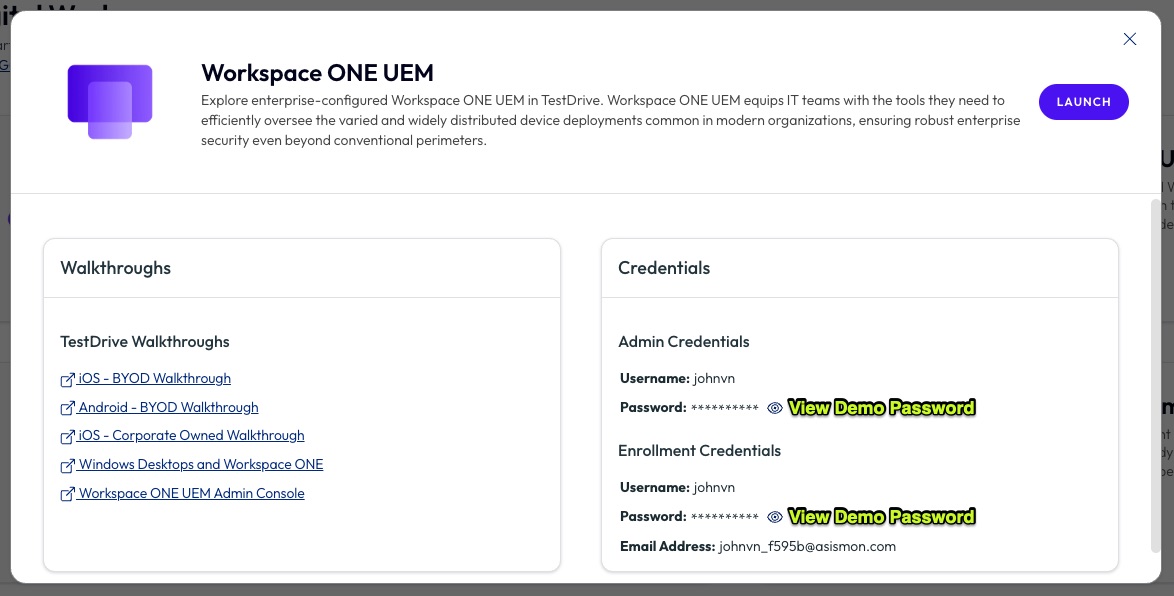
Change DemoZone Password
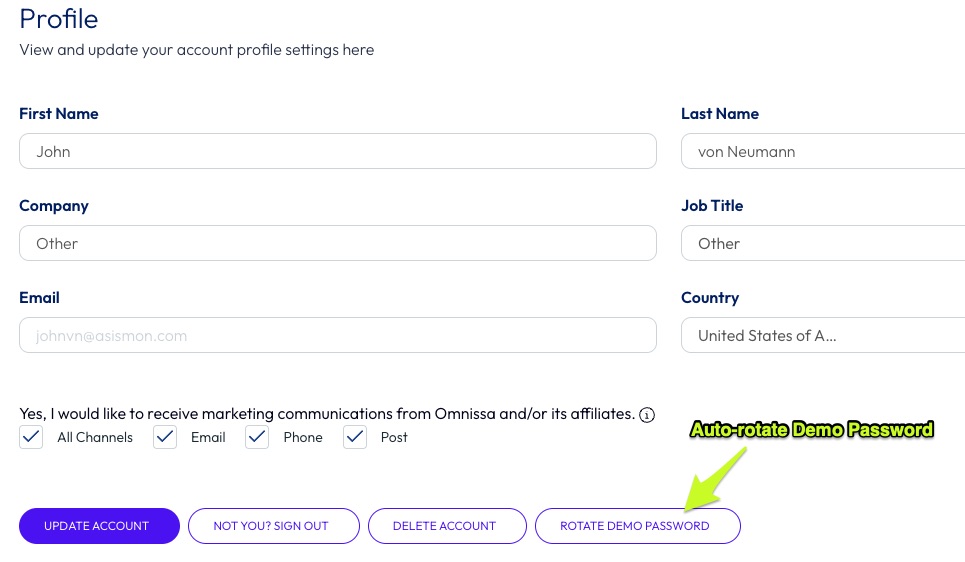
To update your TestDrive DemoZone "demo password", go to User Settings (upper right) › View My Profile › Rotate Demo Password.
TestDrive will automatically update the demo password to a random one and sync it.
DIY
Reference sub areas for account information.
Sandboxes
The Access and UEM accounts are listed within each tile. See this sandbox guide.
Proving Grounds
Permitted users will be authenticated by Omnissa Connect.